
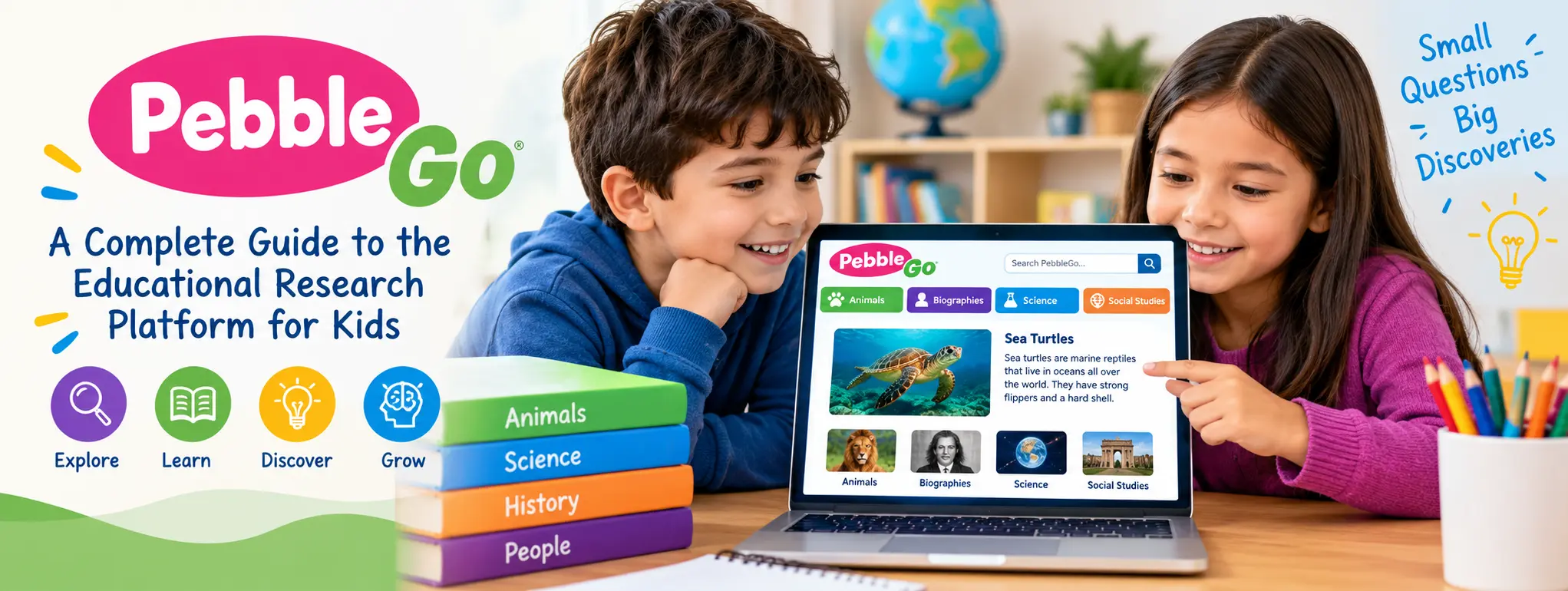
PebbleGo is a digital learning platform that helps young students explore educational topics, improve reading skills, and develop confidence in independent research. Designed primarily for elementary school learners, PebbleGo combines age-appropriate nonfiction articles with read-aloud audio, vocabulary support, and interactive learning resources. For US families, teachers, and school librarians, PebbleGo can make it easier for children to discover reliable information without becoming overwhelmed by complicated websites or adult-level reading material.
From exploring animals and science to learning about history, health, and important people, the platform gives students a structured place to begin their research. Its simple navigation and learning supports can be especially helpful for children who are developing reading fluency or learning how to gather facts for school assignments.
What Makes PebbleGo Useful for Elementary Students?
PebbleGo is an educational research resource developed for younger learners. Rather than functioning as a general-purpose search engine, it organizes educational content into subject areas that children can explore with guidance or independently.
The platform is intended to help students build background knowledge while practicing essential reading and research skills. Its content and support features are designed around the needs of elementary learners, making it a practical resource for classroom lessons, library activities, and guided learning at home.
One important distinction is that PebbleGo is generally provided through participating schools, libraries, or educational subscriptions. Access and available content can therefore depend on the institution’s subscription and account arrangements.
PebbleGo Features That Support Learning
1. Age-Appropriate Educational Articles
PebbleGo provides nonfiction articles written for young readers. Instead of requiring children to navigate lengthy academic papers, it introduces subjects through accessible explanations and organized information.
Students can use these articles to begin exploring questions such as how animals survive, why weather changes, how the human body works, or how historical figures influenced society.
The content is useful for early research because it gives students a starting point for understanding a subject before they move on to more advanced books and sources.
2. Read-Aloud Audio and Text Highlighting
Reading support is an important part of the PebbleGo experience. Read-aloud audio allows students to listen to article text, while text highlighting can help them follow along with the spoken words.
These features may support children who are still developing reading fluency, students who benefit from listening while reading, and learners who find unfamiliar vocabulary challenging.
Teachers can also use audio-supported articles during small-group instruction. Students can listen to a passage, identify its main idea, and discuss the information with classmates.
3. Vocabulary and Comprehension Support
Understanding a topic requires more than recognizing individual words. Children also need to understand how new vocabulary relates to the information they are reading.
PebbleGo includes learning supports that help students engage with unfamiliar terms and subject-specific language. Depending on the article and subscription, learners may have access to vocabulary assistance and additional media.
For example, a student researching ecosystems may encounter terms related to habitats, food chains, and animal adaptations. Exploring these concepts in context can make a science lesson more meaningful.
4. Multimedia and Interactive Learning
Some PebbleGo resources include videos, maps, timelines, educational games, and other interactive learning extensions. These materials can help students approach a topic through more than one format.
A child studying geography might benefit from a map, while a student exploring a historical topic may find a timeline useful for understanding the order of events.
The exact tools available vary by content area and subscription plan, so educators should check their institution’s current access before planning a lesson around a particular feature.
5. English and Spanish Learning Resources
PebbleGo offers English and Spanish content, supporting bilingual learning and helping educators serve students with different language needs.
Spanish-language resources can be particularly useful in US classrooms where students are developing academic vocabulary in English while maintaining or strengthening their Spanish reading skills.
Teachers can use related topics in both languages to introduce new vocabulary, encourage discussion, and build subject knowledge.
Exploring the Main PebbleGo Subject Areas
PebbleGo organizes learning content into subject-based modules. The standard early-elementary offering includes five core areas: Animals, Biographies, Health, Science, and Social Studies. PebbleGo Next provides additional content for older elementary learners.
The table below summarizes the main learning opportunities these areas can provide.
| Subject area | What students can explore | Example learning activity |
|---|---|---|
| Animals | Animal characteristics, habitats, and behavior | Compare two animals and their habitats |
| Biographies | The lives and achievements of notable people | Create a short biography fact sheet |
| Health | Health-related concepts and personal well-being | Identify healthy everyday habits |
| Science | Natural processes and scientific concepts | Write down observations and questions |
| Social Studies | People, communities, history, and society | Explain how a community meets its needs |
Available articles and topics may vary according to the version of PebbleGo and the institution’s subscription.
PebbleGo Next for Older Elementary Students
PebbleGo Next is intended for students in approximately grades 3–5 and provides a more advanced research experience than the core early-elementary platform.
Its subject areas include Animals, Biographies, Health, Indigenous Peoples’ History, Science, Social Studies, and States. These topics can help students prepare for more demanding assignments that require them to compare information, identify important details, and explain what they have learned.
For example, an older elementary student studying a US state might gather facts about its geography, history, and communities before creating a classroom presentation.
The appropriate version depends on the student’s grade, reading ability, and assignment requirements.
How to Access PebbleGo in the United States
Students generally access PebbleGo through a school, district, or library that provides a subscription. A personal account or unrestricted public access should not be assumed.
Follow these steps to get started:
- Check with your school or library. Ask whether PebbleGo is included in the available digital learning resources.
- Open the official login page. Use the PebbleGo access instructions supplied by your institution.
- Sign in using the approved method. Your school may provide login credentials or access through a supported single sign-on service.
- Choose a subject area. Browse the available modules or search for the topic required for your assignment.
- Read, listen, and explore. Use the available audio, vocabulary assistance, and multimedia resources to understand the article.
- Record useful information. Write notes in your own words and follow your teacher’s instructions for completing the assignment.
PebbleGo supports institutional access options that may include Clever, ClassLink, or Google-based sign-in arrangements. The specific setup depends on the school or district.
If the login page does not work, first check whether you are using the correct school link and account. A librarian or school technology coordinator can help resolve subscription and login problems.
Is PebbleGo Free for Students?
PebbleGo is primarily an institutionally licensed educational platform rather than a service that every student can automatically use for free.
Some US schools and public libraries provide access as part of their educational resources. In those cases, eligible students may be able to use PebbleGo without paying a separate personal subscription fee.
However, free access depends on the institution. A student whose school does not subscribe may not have the same access as a student at a participating school.
Families and educators should check the following before making a decision:
- Whether their school or public library currently offers PebbleGo.
- Which modules and learning tools are included.
- Whether access is available outside the school building.
- Whether students need a username, password, or school sign-in.
- Whether additional features require a different subscription tier.
Pricing can vary by plan and purchasing arrangement. For an accurate quote, schools and districts should consult the official PebbleGo pricing information rather than rely on older prices published elsewhere.
Benefits of Using PebbleGo at School and at Home
PebbleGo can be valuable when it is used as part of a clear learning goal. It is not simply a place to read articles; it can also help children practice how to find, understand, organize, and communicate information.
Five practical benefits stand out:
- Builds reading confidence: Accessible nonfiction and read-aloud support can make unfamiliar topics easier to approach.
- Encourages curiosity: Students can explore related subjects and develop questions for further research.
- Supports classroom instruction: Teachers can connect articles with science, literacy, social studies, and library lessons.
- Helps multilingual learners: English and Spanish resources can support language development and subject understanding.
- Introduces research habits: Students can practice taking notes, identifying key facts, and explaining ideas in their own words.
The results depend on how students use the platform. Reading an article without reflecting on its content may be less effective than answering questions, discussing evidence, or creating a short project afterward.
How Teachers and Parents Can Get More Value From PebbleGo
The most useful way to incorporate PebbleGo is to connect each reading activity to a specific question or task.
Start With a Research Question
Instead of asking a child to browse without a goal, introduce a question such as, “How does a desert animal survive in a dry environment?” The question gives the student a reason to search for relevant details.
Use a Simple Note-Taking Framework
Young learners may struggle to decide which facts matter. A three-column organizer can help them record a fact, explain what it means, and identify a question they still have.
This approach encourages active reading instead of copying entire paragraphs.
Turn Reading Into a Small Project
After researching a subject, students can create a poster, short presentation, comparison chart, or oral explanation. The project gives them an opportunity to demonstrate what they understood.
Connect Digital Learning With Books
PebbleGo can be a starting point rather than the final source for every assignment. A teacher or librarian can recommend a nonfiction book or another suitable reference resource for deeper investigation.
This approach gradually prepares children to handle more complex research tasks as their reading skills improve.
Encourage Independent Thinking
Parents and teachers should ask students to explain why a fact matters, compare two ideas, or describe what surprised them. These questions help children move beyond finding answers toward developing comprehension and critical-thinking skills.
PebbleGo vs. General Internet Searches
PebbleGo and general search engines serve different purposes. A search engine can locate an enormous variety of websites, but the reading level, accuracy, advertising, and suitability of individual results can vary.
PebbleGo offers a more structured learning environment designed for elementary students. Its age-appropriate articles and built-in reading supports can help children begin research without sorting through a large number of unrelated results.
| Comparison point | PebbleGo | General search engines |
|---|---|---|
| Main purpose | Guided educational research | Broad information discovery |
| Intended audience | Primarily elementary learners | Users of all ages |
| Reading support | Built-in learning supports in available content | Depends on the website |
| Topic selection | Organized educational modules | Results from many different sources |
| Access | Usually through a participating institution | Often publicly accessible |
| Best use | Early research and guided learning | Broader searches and advanced follow-up research |
Neither option replaces thoughtful evaluation of information. Students should learn to ask who created a resource, whether the information answers their question, and whether another reliable source supports an important claim.
Important Things to Know Before Using PebbleGo
Although PebbleGo is designed to make research more accessible, families and educators should understand a few practical limitations.
First, access is not universal. Students may need a school or library subscription, and available modules can differ between institutions.
Second, content written for young readers is intentionally accessible. It may not provide the depth required for advanced projects, high school research, or specialized academic questions.
Third, a digital article should not be treated as a substitute for every type of evidence. Students may need books, classroom materials, primary sources, or other trusted references to complete more complex assignments.
Finally, adults should help children turn information into original work. Taking notes, paraphrasing, discussing evidence, and identifying sources are important skills that should develop alongside digital research.
Frequently Asked Questions About PebbleGo
1. What is PebbleGo used for?
PebbleGo helps elementary students explore nonfiction topics, strengthen reading skills, and begin research for classroom assignments.
2. Can students use PebbleGo at home?
Yes, when their school or library subscription supports home access and the student has the required login details.
3. Is PebbleGo free?
Access may be included through a participating school or library. Availability and subscription costs depend on the institution and plan.
4. What grades is PebbleGo designed for?
The core PebbleGo platform is aimed at early elementary learners, approximately kindergarten through grade 2 and beyond in some settings. PebbleGo Next is designed for approximately grades 3–5.
5. Does PebbleGo support Spanish?
Yes. PebbleGo offers Spanish-language educational content, including read-aloud support for its articles.
Final Thoughts
PebbleGo gives elementary students a structured way to explore educational topics, practice reading, and build early research skills. Its combination of accessible nonfiction, read-aloud audio, vocabulary assistance, and subject-based learning resources makes it a useful option for US schools and libraries seeking to encourage independent learning.
The platform works best when students have a clear question to investigate and an opportunity to apply what they learn. Parents and educators can strengthen the experience by encouraging thoughtful note-taking, classroom discussion, and follow-up reading.